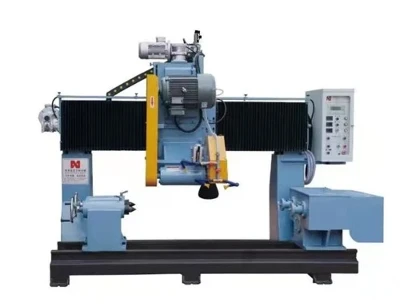


How to Prepare a CAD/CAM File for CNC Stone Engraving
A CNC stone engraving machine can turn a digital design into a finished stone product, but the machining process starts long before the spindle begins cutting.
Before engraving granite, marble, or other natural stones, you need to prepare the design file, select the appropriate tools, generate machining paths, and configure the machine correctly.
For beginners, understanding the CAD/CAM workflow is one of the most important steps in learning how to operate a CNC stone carving machine.
In this guide, Quanzhou Jinzuan Technology Co., LTD. explains how to prepare a CAD/CAM file for CNC stone engraving, from the original design to the final machining operation.
1. Start with the Right Stone Design
The first step is to prepare a digital design that matches your finished stone product.
The design requirements depend on the application.
For example:
Tombstones and memorials: Names, lettering, decorative borders, religious symbols, and engraving patterns.
Marble relief panels: Two-dimensional outlines and three-dimensional relief models.
Stone sculptures: Three-dimensional models with detailed surfaces and complex shapes.
Decorative columns: Profiles, patterns, and other suitable machining geometries.
Stone sinks and basins: Models or machining drawings that define the required shape and dimensions.
For flat engraving, a 2D vector drawing may be sufficient for generating the required toolpaths.
For relief carving and three-dimensional sculptures, a suitable 3D model is generally needed.
Before starting, check the design dimensions, proportions, details, and intended machining depth. A clear and properly prepared design can make the following programming steps easier.
2. Choose the Correct File Format
Different CAD/CAM software packages and CNC controllers support different file formats. Therefore, it is important to confirm compatibility before preparing the final machining file.
Some commonly used formats include:
| File Format | Typical Purpose |
|---|---|
| DXF | 2D vector drawings, outlines, and lettering |
| DWG | CAD drawings and design geometry |
| STL | 3D surface models for reliefs and sculptures |
| OBJ | 3D models with geometry and optional surface information |
| NC / G-code | Machine-readable machining instructions generated by CAM software |
The correct format depends on your design software, CAM software, CNC controller, and machining application.
For example, a tombstone lettering project may begin with a DXF drawing, while a 3D sculpture project may require an STL model.
Important: A design file is not necessarily ready to run directly on a CNC machine. It usually needs to be processed by compatible CAM software to generate machining instructions for the specific machine and controller.
Before purchasing a machine, ask the manufacturer which file formats, software packages, and CNC control systems are supported.
3. Set Up the Toolpath
After importing the design into CAM software, the next step is to generate the toolpath.
A toolpath tells the CNC machine how the cutting tool should move during machining.
Different machining operations require different toolpath strategies.
Common examples include:
Engraving toolpaths: For lettering, lines, and decorative patterns.
Pocketing toolpaths: For removing material from selected areas.
Contour toolpaths: For machining along the boundaries of a design.
Relief machining toolpaths: For producing raised and recessed details on stone surfaces.
3D finishing toolpaths: For refining the surface of complex three-dimensional shapes.
Tool selection and toolpath strategy should match the design geometry, stone material, and required surface finish.
For example, a deep relief design may require roughing to remove excess material, followed by finishing to produce more detailed surfaces.
The toolpath should also consider tool diameter, machining clearance, cutting direction, and areas that the tool cannot easily reach.
4. Configure Machining Parameters
Correct machining parameters are essential for stable CNC stone engraving.
Before generating the final machining program, consider the following factors:
Spindle Speed
The spindle speed should be suitable for the cutting tool, tool diameter, stone material, and machining operation.
Feed Rate
The feed rate determines how quickly the cutting tool moves through the material. An unsuitable feed rate may affect cutting stability, tool wear, and surface quality.
Cutting Depth
For deeper engraving or material removal, using multiple passes may be more suitable than removing too much material in a single pass.
Tool Selection
Different tools are designed for different operations, such as roughing, engraving, profiling, and finishing.
Cooling Conditions
Stone machining may require appropriate water cooling or other cooling arrangements depending on the spindle and tool specifications.
There is no single machining parameter suitable for every type of granite or marble. The actual settings should follow the cutting tool manufacturer's recommendations and be verified through machining tests.
5. Simulate the Toolpath Before Machining
Never overlook the simulation stage.
Before sending a machining program to the CNC controller, use the CAM software's simulation function to review the planned tool movements.
Simulation can help identify potential programming problems before actual machining begins.
Check the following:
Whether the toolpath matches the original design.
Whether the machining depth is correct.
Whether the cutting sequence is reasonable.
Whether the tool can reach the required areas.
Whether the toolpath exceeds the intended machining boundaries.
Whether there are potential collisions or clearance problems.
For complex relief designs and 3D sculptures, simulation is especially useful because the machining process may involve many tool movements and different machining stages.
A careful simulation can reduce programming mistakes and unnecessary material waste.
6. Set the Workpiece Zero Point
Once the machining file is ready, the next step is to position the stone and establish the machine coordinates.
The workpiece must be securely supported and clamped before machining.
The operator needs to confirm:
The stone is positioned correctly on the machine table.
The workpiece is stable and cannot move during machining.
The selected workpiece origin matches the CAM setup.
The tool length and tool offset are correctly configured where applicable.
The machine travel limits and clearance are sufficient.
Incorrect workpiece positioning or coordinate settings can cause the machine to engrave in the wrong location or move outside the intended machining area.
Always follow the machine manufacturer's operating instructions when setting the workpiece origin and preparing the machine for operation.
7. Start CNC Stone Engraving
After checking the design, toolpath, machining parameters, and workpiece position, the operator can begin the machining process.
For a new design or unfamiliar stone material, it is good practice to start with a suitable test or sample operation.
During machining, pay attention to:
Whether the spindle operates normally.
Whether the tool follows the expected path.
Whether the cooling system works correctly.
Whether abnormal vibration or noise occurs.
Whether the stone surface shows signs of unexpected chipping or damage.
If an abnormal condition appears, stop the machine safely and inspect the tool, workpiece, and machining setup before continuing.
Following a consistent workflow can help improve machining repeatability and reduce avoidable errors.
8. Common CAD/CAM Mistakes to Avoid
Even when the CNC machine is correctly configured, problems can still occur because of mistakes in the design or machining file.
Here are several common issues:
Using an Incorrect File Format
A file may open in one software package but may not contain the geometry or information required by another program. Always check compatibility.
Incorrect Design Dimensions
If the drawing dimensions do not match the actual stone workpiece, the finished product may be too large, too small, or incorrectly positioned.
Missing or Open Vector Lines
Some 2D toolpaths require closed contours. Gaps or overlapping lines can cause unexpected machining results.
Incorrect Tool Selection
A tool that is too large may not reproduce fine details. An unsuitable tool may also affect cutting quality and machining efficiency.
Skipping Toolpath Simulation
Without checking the toolpath, programming errors or clearance problems may remain unnoticed until the machine starts operating.
Incorrect Workpiece Coordinates
The design origin and machine workpiece origin must match. Otherwise, the machining position may be incorrect.
Frequently Asked Questions
What file format does a CNC stone engraving machine use?
It depends on the CAD/CAM software and CNC controller. DXF and DWG are commonly used for 2D design work, while STL and OBJ are used for many 3D models. The CAM software then generates a compatible NC or G-code machining program.
Can I use an image file to engrave a tombstone?
Some software can convert suitable images into vector or relief data for CNC machining. However, an ordinary JPG or PNG image is not automatically a machine-ready machining file. It may require tracing, vector conversion, or 3D processing first.
Do I need CAD/CAM software to operate a CNC stone engraving machine?
For most design-based CNC machining applications, CAD/CAM software is required to prepare or process the design and generate machining instructions. The exact software depends on the machine, controller, and application.
Can a 3 axis CNC machine carve 3D stone reliefs?
Yes. A 3 axis CNC machine can produce many types of 3D relief designs using suitable 3D models and toolpaths. However, complex undercuts and surfaces requiring different tool orientations may need additional axes or a different machining setup.
Is 5 axis CNC software different from 3 axis CNC software?
The software requirements depend on the machine configuration and controller. Five-axis machining generally requires CAM software capable of generating suitable multi-axis toolpaths and handling tool orientation, collision avoidance, and machine kinematics.
Can beginners learn CNC stone engraving?
Yes. Beginners can learn the process step by step, starting with simple 2D designs and basic engraving operations before moving on to more complex reliefs and 3D machining. Proper training and technical support can make the learning process easier.
From Digital Design to Finished Stone Products
Preparing a CAD/CAM file correctly is an essential part of successful CNC stone engraving.
From choosing the right design format to generating toolpaths, setting machining parameters, and checking the workpiece position, every step contributes to the final machining result.
At Quanzhou Jinzuan Technology Co., LTD., we provide CNC stone processing solutions for different applications, including tombstone engraving, marble relief carving, stone sculptures, and customized stone products.
Our team can help customers understand machine configurations, software compatibility, and practical machining requirements.
Planning your first CNC stone engraving project?
Send us your product drawings, design files, or finished product photos. We can help evaluate your machining requirements and recommend a suitable CNC stone engraving solution.
Quanzhou Jinzuan Technology Co., LTD.
Professional CNC Solutions for Stone Processing.